
How to Change or Turn Off Game Sounds
Mute ChessBit's move sounds, or replace any game sound (moves, captures, castling, check, game end and more) with your own MP3, OGG or WAV file. Step by step.
ChessBit plays a short sound for each move, capture, check and the end of the game. You can switch them all off, or swap any individual sound for one of your own. Sounds are saved to your account, so they follow you to any device you log in on.
Turn All Game Sounds On or Off
- Open the profile menu (your avatar, top right) and choose Settings.
- In the Gameplay card, switch Sounds on moves off (or back on).
Turning it off silences every game sound: moves, captures, check, the low-time warning and the game-end sound. It's on by default.
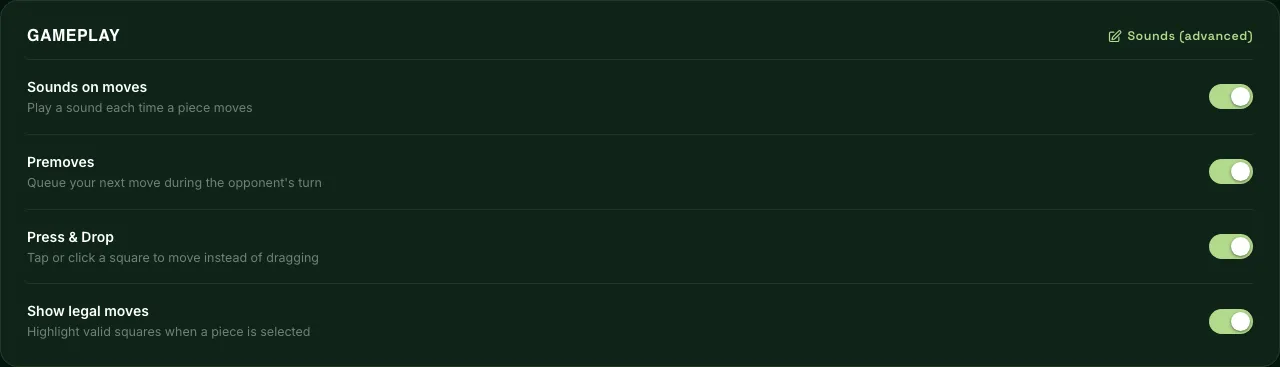
Use Your Own Sounds
- In Settings → Gameplay, press Sounds (advanced) at the top right of the card. The list of sounds opens inside the card.
- Find the sound you want to change and press Choose File. Your file uploads and is saved straight away; there's no Save button. The row now shows Custom.
- Press Play to hear your sound.
- To go back to ChessBit's sound, press Reset. The row shows Default again.
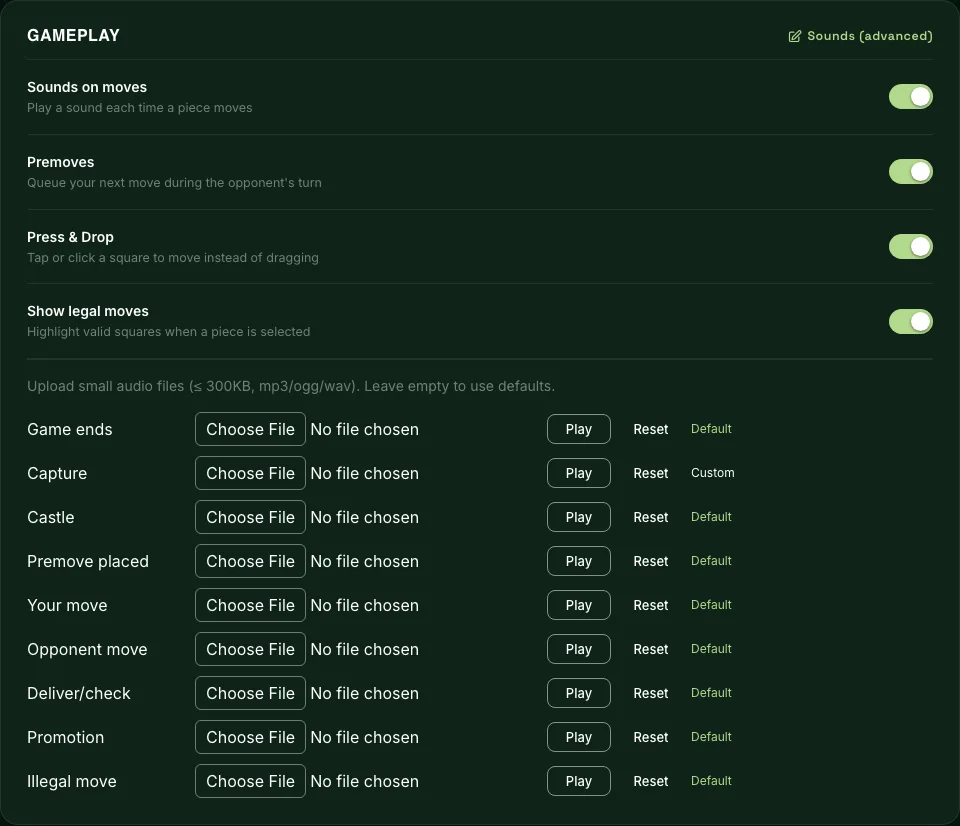
You can customise these nine sounds:
| Sound | When it plays |
|---|---|
| Your move | You make a move |
| Opponent move | Your opponent makes a move |
| Capture | A piece is taken |
| Castle | Either side castles |
| Deliver/check | A king is put in check |
| Promotion | A pawn promotes |
| Premove placed | You queue a premove |
| Illegal move | You try a move that isn't allowed |
| Game ends | The game finishes |
File Requirements
- Format: MP3, OGG or WAV.
- Size: up to 300 KB per file. A short clip (well under a second) works best, so it doesn't overlap the next move.
If an upload is refused, check the format and size first. When a move is several things at once (say, a capture that gives check), one sound plays, in this order of priority: capture, castle, promotion, check, then the normal move sound.
Good to Know
- There's also a low-time warning that plays when your clock reaches 10 seconds. It uses ChessBit's built-in sound and can't be replaced, but switching off Sounds on moves silences it.
- Deposit pop-ups play their own notification sound, which isn't controlled by this setting.
- There's no separate volume control in ChessBit. Use your device or browser volume, or mute the tab.
- Sounds not playing at all? Browsers block audio until you've clicked or tapped on the page at least once, so click the board first. Also check the tab isn't muted.
Other gameplay switches (premoves, Press & Drop, legal-move highlights) are explained in Gameplay settings.