
Privacy & Notification Settings
Control who sees your stats, who can challenge, message or follow you, whether you appear on leaderboards, and which notifications and emails ChessBit sends you.
Updated 2026-10-112 min readChessBit Support
Open the profile menu (your avatar, top right) → Settings. Privacy and notification switches save as soon as you change them.
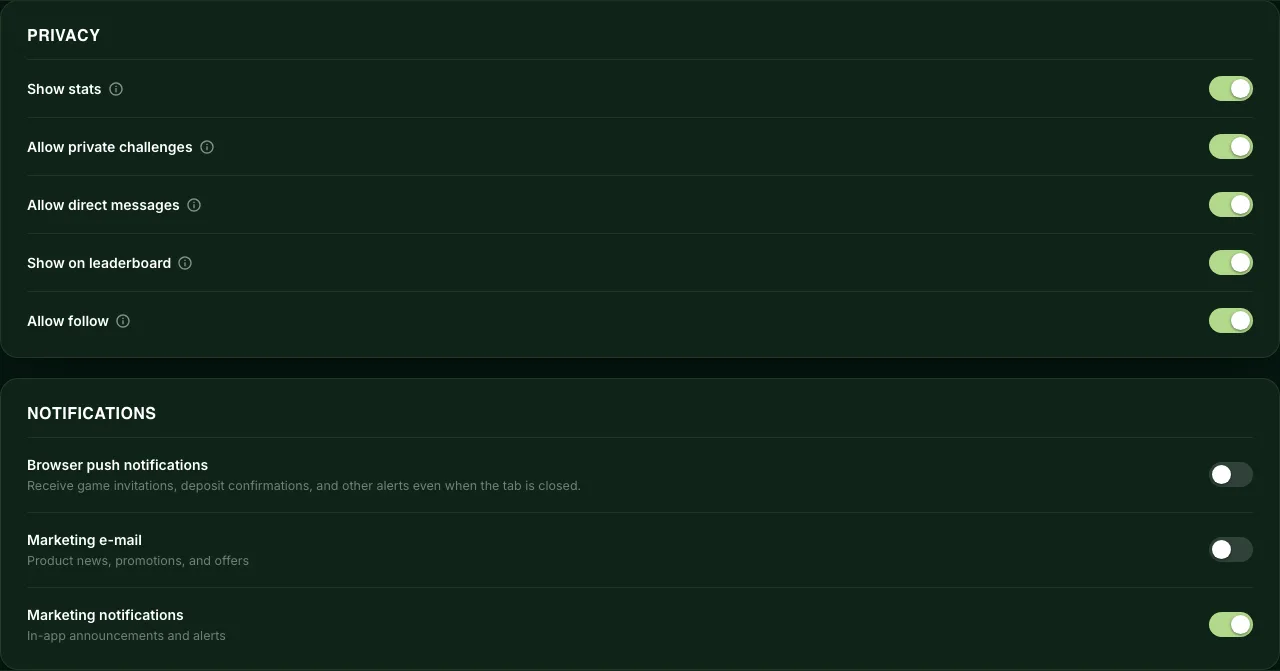
Privacy
All privacy switches are on by default.
| Setting | When it's off |
|---|---|
| Show stats | Other players can't see your statistics. Your profile card shows "This user's statistics are hidden." |
| Allow private challenges | The Challenge button on your profile card is greyed out. |
| Allow direct messages | Players can't start new conversations with you ("This user has disabled DMs"). |
| Show on leaderboard | You appear as Anonymous on the public weekly leaderboards. You still rank and can still win prizes. |
| Allow follow | Nobody can follow you, and all your current followers are removed. |
To stop one particular player, use Mute or Block on their profile instead. See Following, profiles & blocking.
Notifications
| Setting | What it controls |
|---|---|
| Browser push notifications | Alerts from your browser even when ChessBit isn't open. Today these are sent for deposits (detected, credited, held, refunded). Your browser asks for permission when you turn it on. Turning it off removes this browser's subscription, so no push alerts arrive at all. |
| Marketing e-mail | Product news, promotions and offers by email. Off by default. Turning it off stops every promotional email, and the Unsubscribe link in any marketing email switches it off for you. |
| Marketing notifications | Labelled "In-app announcements and alerts". At the moment it controls whether pop-up notifications play their sound; it doesn't hide anything from your bell. |
Notifications about your money, your games and your account's security are always sent. See Notifications.
Your Data
- Download my data gives you a JSON file of the personal data we hold about you (your GDPR right of access). You can request one every 24 hours.
- Close Account deactivates your account and logs you out. See Closing your account before you do this, especially if you still have a balance.
Security settings (two-factor authentication) are at the top of the same page: see Two-factor authentication.
Your answer tells us which articles to rewrite first.
Next in Settings & Customization
SettingsHow to Change or Turn Off Game SoundsMute ChessBit's move sounds, or replace any game sound (moves, captures, castling, check, game end and more) with your own MP3, OGG or WAV file. Step by step.SettingsGameplay Settings: Premoves, Press & DropWhat each ChessBit gameplay setting does (move sounds, premoves, Press & Drop and Show legal moves), how promotion works, and the board shortcuts.