
Notifications: Bell, Page & Push Alerts
What ChessBit notifies you about (payouts, deposits, withdrawals, cashback, security), where to find it, marking it read, and how browser push alerts work.
ChessBit keeps you posted about the things that matter on a real-money account: money arriving or leaving, payouts after fair-play review, rewards and security alerts.
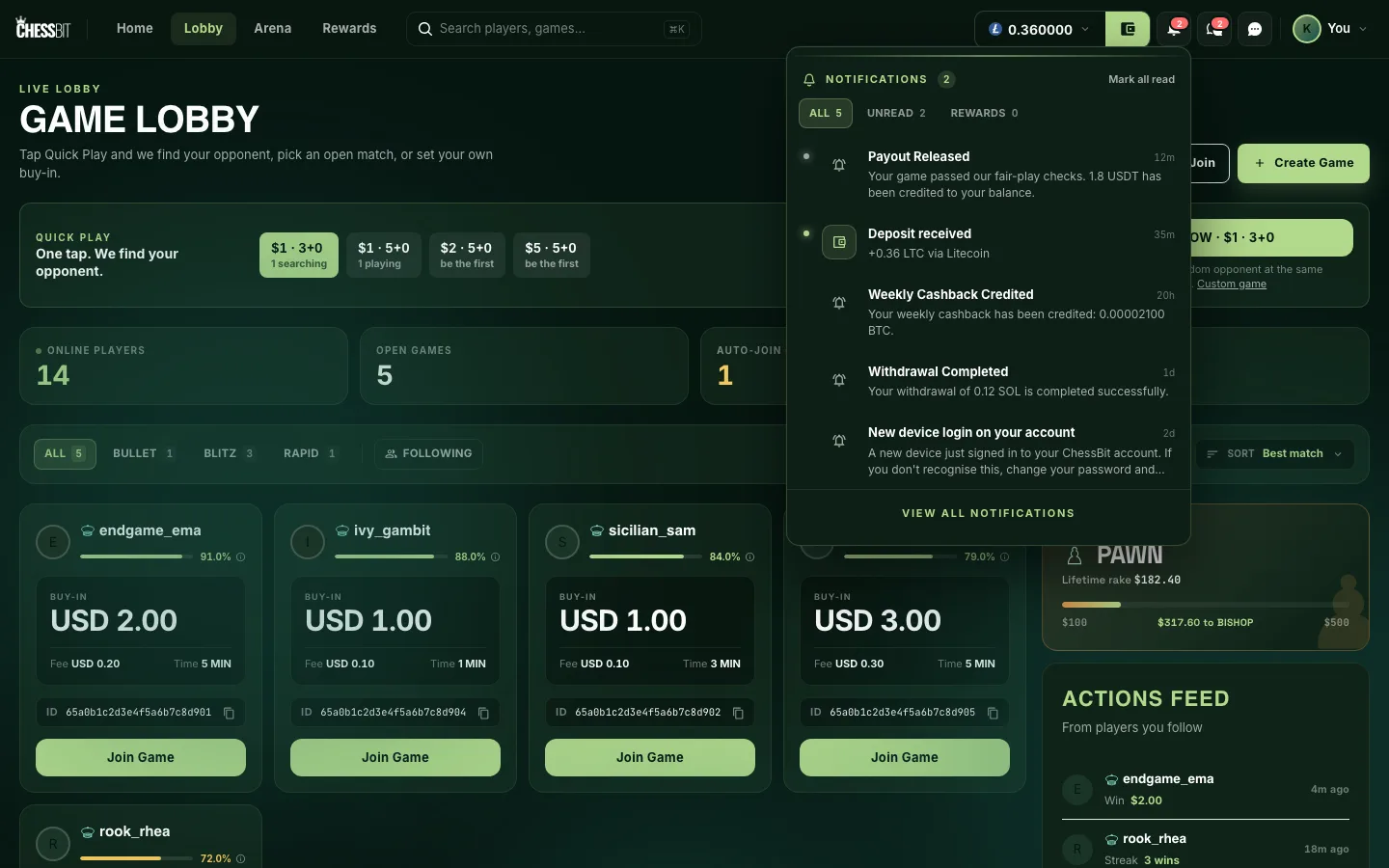
Where to Find Them
- The bell in the top bar shows a red badge with your unread count. Click it for the latest notifications, with tabs for All, Unread and Rewards, plus Mark all read.
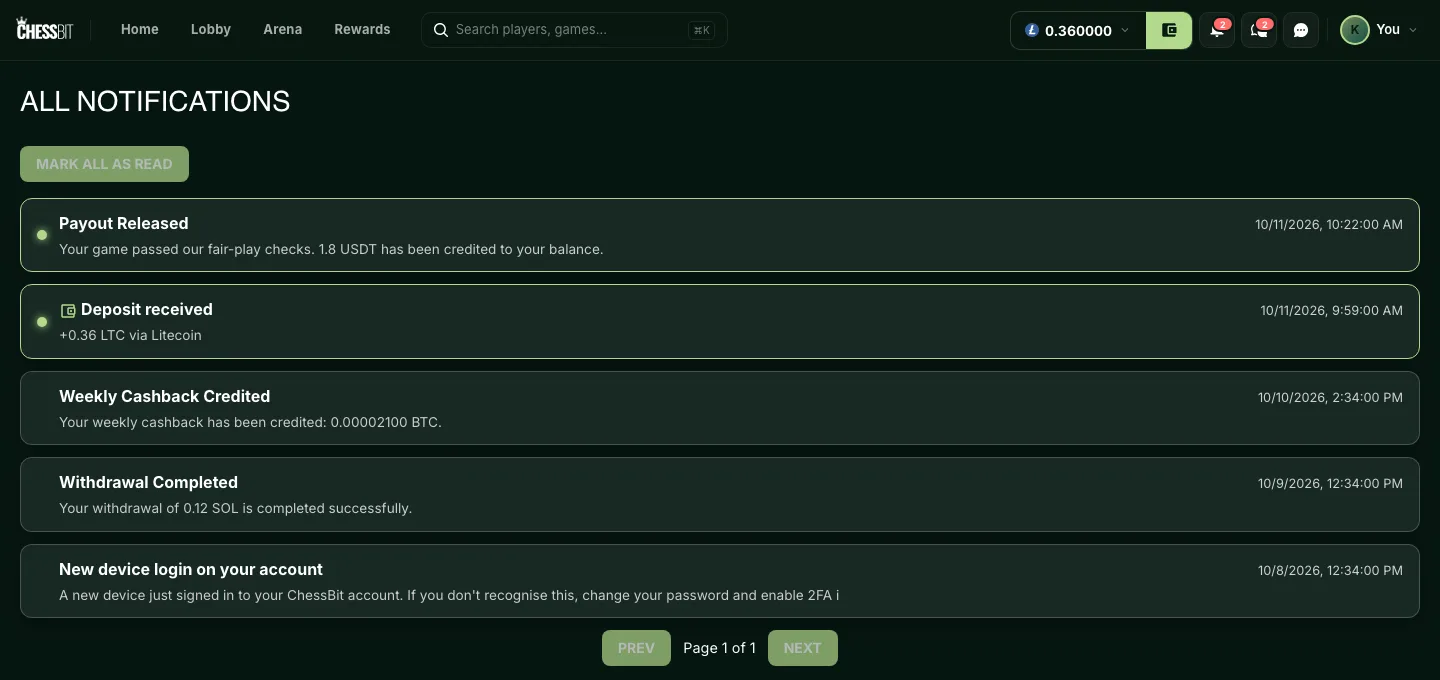
- View all notifications opens the full Notifications page with every notification, paged. Click one to expand its full text, or use Mark All as Read.
What You'll Be Notified About
| Topic | Examples |
|---|---|
| Games | Payout Released: your game passed fair-play checks and the winnings are in your balance. Game Refund Processed. Challenge declined. Calibration complete! |
| Deposits | Deposit detected (seen on-chain), Deposit received (credited), Deposit on hold, Deposit refunded |
| Withdrawals | Withdrawal Approved, Withdrawal Completed, Withdrawal Delayed, Withdrawal Cancelled |
| Rewards | Weekly Cashback Credited, Leaderboard Cashback Credited, Tournament prize awarded, Affiliate Earnings Transferred, Promotion Bonus Credited! |
| Security | New device login on your account, Login from a new network provider, New login from a country we haven't seen…, Multiple sign-in attempts on your account |
| Fair play & account | Fair Play Update, Account Review Complete — No Issues Found, Account restriction lifted |
Got a security alert you don't recognise? Secure the email account you sign in with (that's where login codes go), turn on two-factor authentication, and contact support@chessbit.io.
Deposits also show a pop-up with a sound when they're detected and credited.
Browser Push Notifications
Want an alert when ChessBit isn't open? Turn on Browser push notifications in Settings and allow notifications when your browser asks. Today, push alerts are sent for deposits (detected, credited, held or refunded). Everything else appears in the bell when you next open ChessBit.
If you blocked notifications for the site in your browser, the toggle can't turn them back on; allow them in your browser's site settings first. Turning Browser push notifications off removes this browser's subscription, so no push alerts arrive at all, deposit alerts included.
Marketing Messages
Two separate switches in Settings control promotional messages:
- Marketing e-mail: product news, promotions and offers by email. Off by default. Turning it off stops every promotional email, and the Unsubscribe link in any marketing email switches it off for you.
- Marketing notifications: labelled "In-app announcements and alerts". At the moment it controls whether pop-up notifications play their sound; it doesn't hide anything from your bell.
Account, security and money notifications are always sent, whatever these are set to.