
Using the General Chat
How ChessBit's general chat works: opening it, the #English room, emoji, the 240-character limit, slow mode, chat rules, and muting players with /mute.
The general chat is a room shared by every player online: a good place to find an opponent, say gg after a game, or ask a quick question.
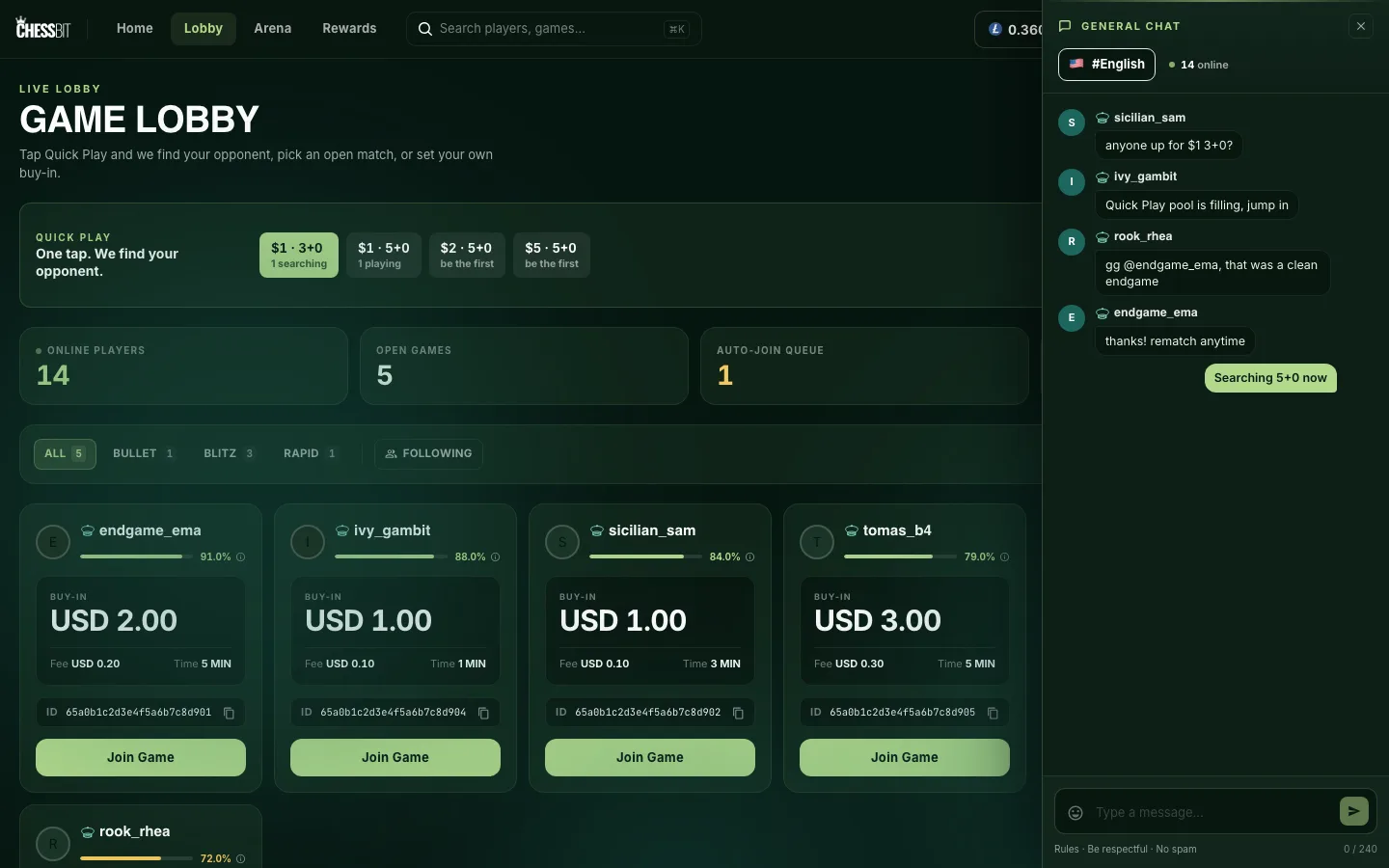
Opening the Chat
- Desktop: press the Chat icon (speech bubble) in the top bar.
- Phone: tap Chat in the bottom bar.
The panel shows the room (#English), how many players are online, and the latest 50 messages. Click a username to open that player's profile card, where you can follow, message or challenge them.
Sending Messages
- Type in Type a message… and press Enter or the send button. Messages can be up to 240 characters (the counter is under the box).
- Use the emoji button to add emoji.
- Slow mode: you can send one message every 10 seconds. Send faster and you'll see "You are sending messages too fast (10s cooldown)".
- Links aren't allowed, and messages with blocked words are rejected with "Your message contains disallowed content."
Messages are kept for 90 days.
Chat Rules
Open Rules under the message box for the full list. In short:
- Don't spam or use excessive caps.
- Don't harass or offend other players.
- Don't share personal info or socials.
- Don't beg for money or tips.
- No advertising or services, no URL shorteners, no code or scripts.
- Stick to the room's language (English), and leave politics and religion out.
Breaking the rules can get you a chat ban. While banned, you'll see "Banned from chat" when you try to post. Everything else on your account keeps working.
Muting a Player
Type a command in the message box:
/mute @usernamehides that player's messages from your general chat./unmute @usernameshows them again.
Muting is private: the other player isn't told. To see everyone you've muted and unmute them, open app.chessbit.io/profile/muted (it has no menu link yet). Muting applies to the general chat only. To stop someone sending you direct messages, block them; see Following, profiles & blocking.
Reporting Abuse
For harassment, scams or anything worse than an annoying message, tell us on Discord or at support@chessbit.io with the username and roughly when it happened. If it happened during a game, use Report on the game screen.
During a game there's a separate, private chat between you and your opponent. See During a game.