
During a Game: Moves, Draws, Resigning & Reporting
Everything on the ChessBit game screen: making moves and premoves, promotion, the clock, offering a draw, aborting, resigning, in-game chat and reporting a player.
Once a game starts you're on the board with the clock running. Here's what everything on the game screen does.
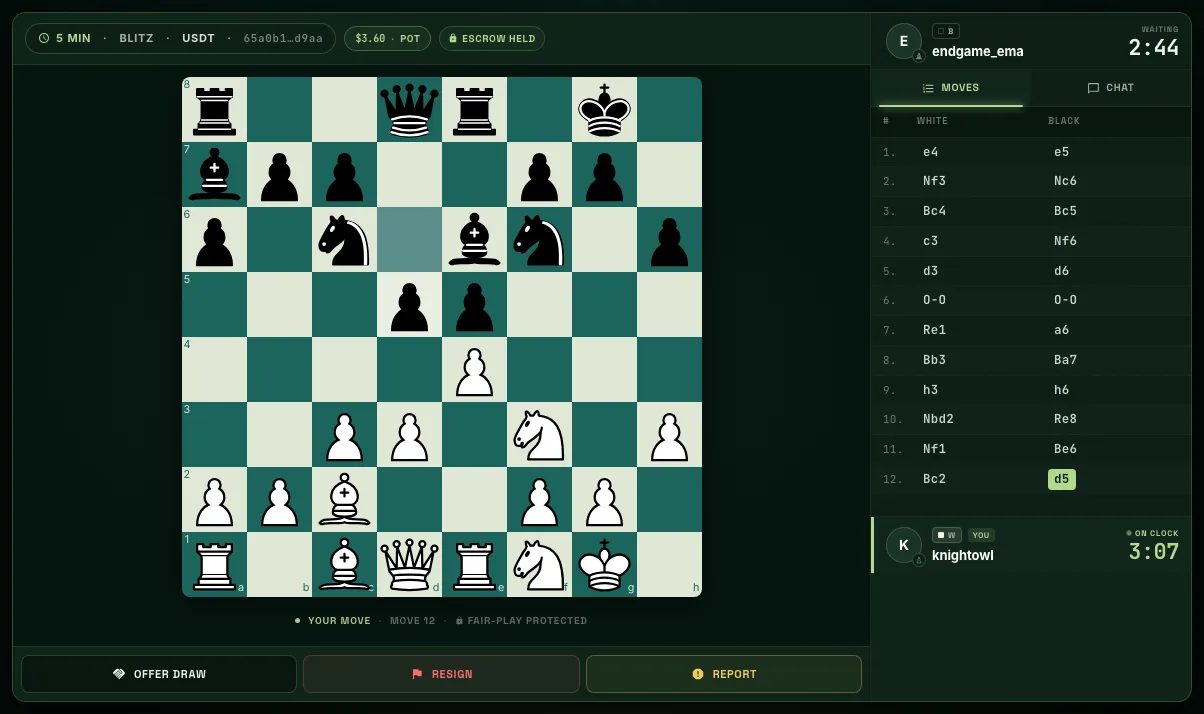
The Screen at a Glance
- Top strip: time control, coin, game ID, the pot (both stakes minus fees) and Escrow held. Both stakes are locked in escrow for the whole game.
- Player cards: your opponent at the top, you at the bottom, each with a clock. The side to move shows On clock.
- Status line under the board: whose move it is, the move number and Fair-play protected.
- Right rail: Moves (the move list) and Chat. On a phone these sit in a bottom sheet with Moves, Chat, Draw, Resign and Report.
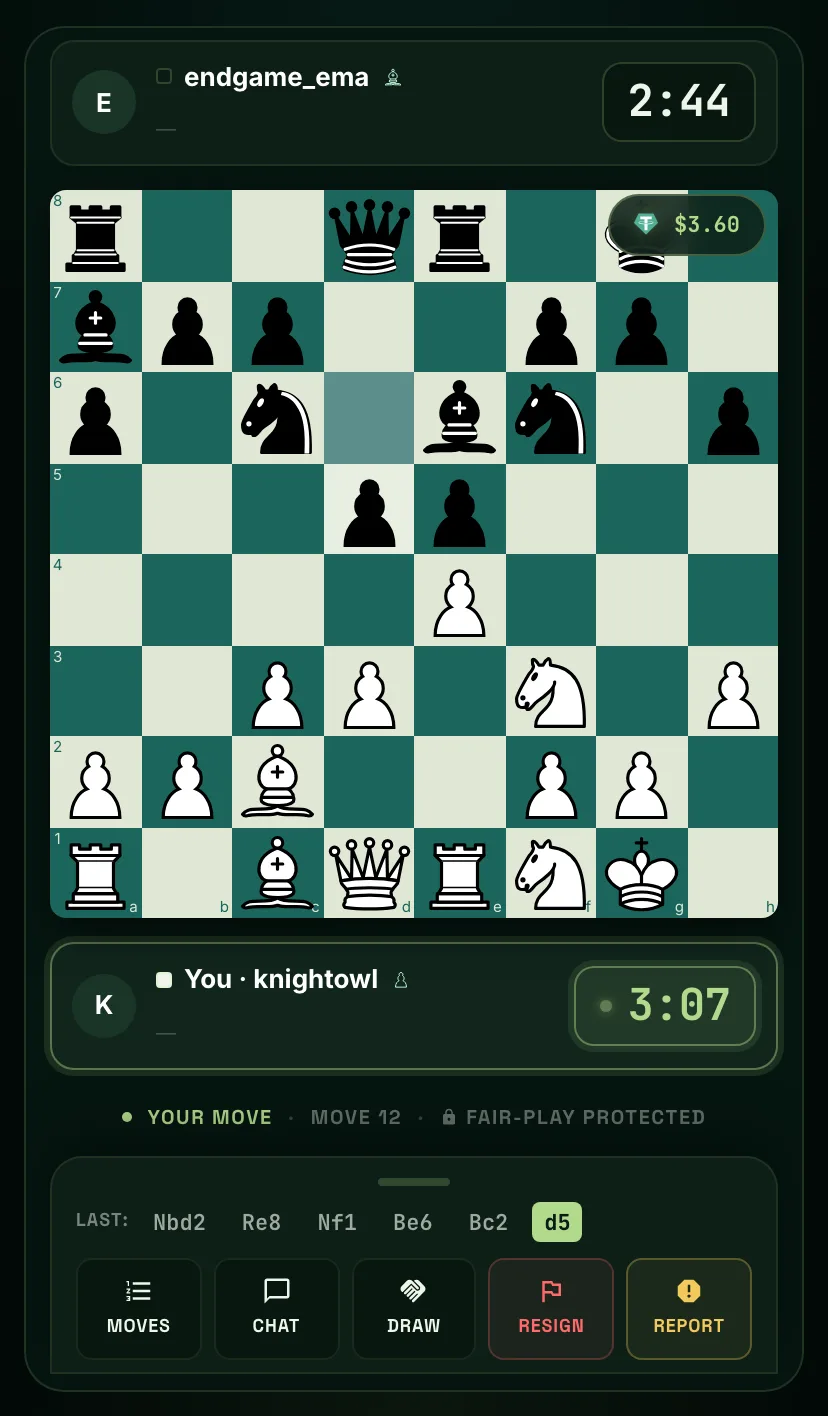
Making Moves
- Drag a piece, or with Press & Drop on, tap the piece and then the square.
- Show legal moves highlights where the selected piece can go.
- Premoves: make your move while your opponent is thinking and it plays the instant they move. You can even premove a recapture onto a square where your own piece still stands; it only plays if your opponent's capture makes it legal. Press Esc or right-click the board to clear queued premoves.
- Promotion: a dialog lets you choose the piece. A premoved promotion always becomes a queen.
All of these can be switched on or off in Gameplay settings.
The Clock and the First Move
- Clocks are sudden death (no increment) and run on the server, so a frozen screen never gives anyone extra time.
- Run out of time and you lose, unless your opponent has no pieces left that could checkmate (a lone king, say), in which case it's a draw.
- A low-time warning sound plays when your clock reaches 10 seconds.
- Each player must make their first move within a short window: 15 seconds at 1+0, 45 at 3+0, 60 at 5+0 and 2 minutes at 10+0. If the first move isn't made in time, the game is cancelled and both stakes are refunded.
Offer Draw, Abort, Resign
| Button | When | What happens |
|---|---|---|
| Abort | Before both players have moved (it replaces Resign until then) | The game is cancelled. Both players get their full stake back: no fee, no rating change. |
| Offer Draw | Any time | Your opponent sees "Your opponent offered a draw" and can accept or decline. If accepted, both players get their stake back minus the fee. |
| Resign | Once both players have moved | You forfeit the game and your stake goes to your opponent. |
Each action asks you to confirm first. Draws by stalemate, threefold repetition, insufficient material and the 50-move rule are detected automatically.
If your connection drops, a countdown starts that your opponent can see: 30 seconds in Bullet, 60 in Blitz, 120 in Rapid. Reconnect in time and the game continues; otherwise you lose. Your clock keeps running either way. On a phone, switching to another app can make the browser suspend the page and drop the connection, so stay on the game. See Connection issues during games.
In-Game Chat
The Chat tab is a private chat between the two players, open only while the game is live. On desktop there are one-tap messages: gg, nice, 😅, 🔥, 🤝 and good move. Links and blocked words aren't allowed. Keep it friendly; abusive messages can be reported.
Reporting a Player
Press Report on the game screen. Choose a category, Cheating, Behavior, Stalling or Payment, then pick a reason (for example engine assistance, abusive chat, disconnecting on purpose or a stake mismatch) and add optional details, up to 500 characters. Reports from a player's profile or a conversation offer Cheating, Abusive, Griefing, Spam or Other instead.
Reports go to our Trust & Safety team. You can't send the same report again within 30 minutes, and you won't get a notification about the outcome. See Fair play & Argus for how we check games for cheating.
When the Game Ends
The result screen shows Victory, Defeat or Draw, the reason and the stake result. From there:
- View the final position
- History: your game history.
- Analyze: post-game insights for this game. See Game history & analysis.
- Back to Lobby
Winnings from staked games are released once the fair-play check clears the game; you'll get a Payout Released notification when they reach your balance.