
Quick Play: Get Matched in One Tap
How Quick Play works: pick a stake and clock, tap Play Now and the server finds an opponent at the same stake. Pools, coins, cancelling and timeouts explained.
Quick Play is the fastest way into a staked game. You choose a pool (a fixed stake and time control), tap Play Now, and ChessBit picks your opponent: another player searching the same pool. You don't browse the lobby or post a challenge.
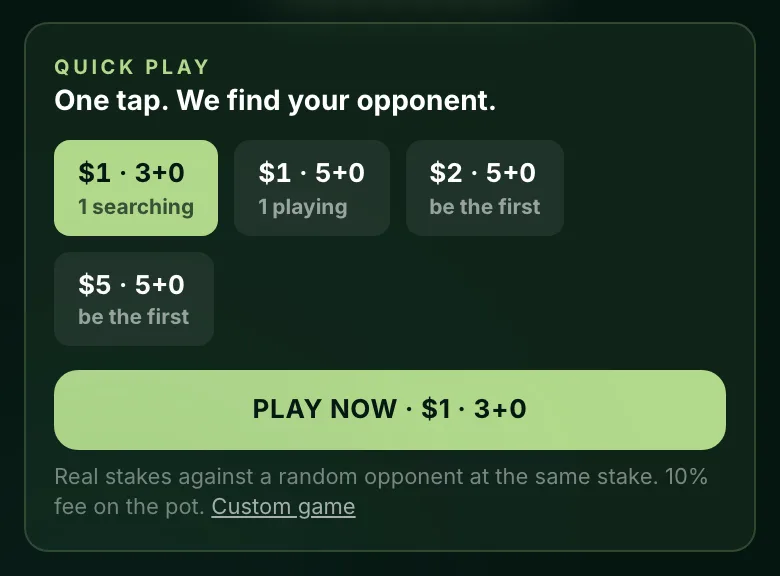
How to Start a Quick Play Game
- Open the Lobby (or the home page). The Quick Play panel sits at the top.
- Pick a pool. The usual pools are $1 · 3+0, $1 · 5+0, $2 · 5+0 and $5 · 5+0, but ChessBit chooses which are open and sometimes runs just one. The app remembers your last choice, and switches you to an open pool if that one has been closed.
- Tap Play Now. If a suitable opponent is already waiting in that pool, you go straight to the board.
- If nobody is waiting yet, the panel switches to Finding an opponent with a timer. Stay on ChessBit; you're taken to the board the moment someone joins.
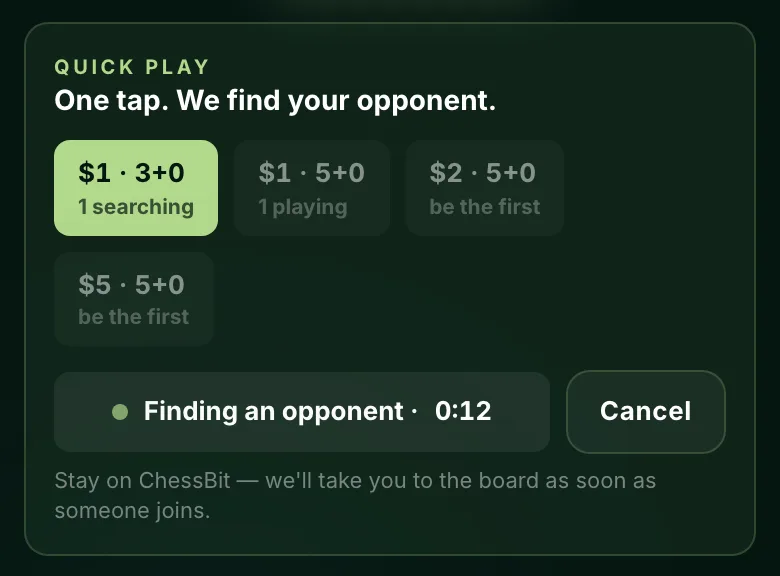
What the Pool Labels Mean
Under each pool you'll see one of:
- N searching: players are waiting for an opponent right now. Tap Play Now and you'll usually be matched instantly.
- N playing: that many players are in games in this pool right now.
- be the first: the pool is empty. You'll wait until someone else joins.
If another player is waiting at the same stake in a different pool (say $1 · 5+0 while you search $1 · 3+0), a button appears offering that game in one tap.
How Your Opponent Is Chosen
The server does the pairing, not you:
- The longest-waiting eligible player in the pool is matched first.
- New to staked games? For roughly your first 10, ChessBit may look for an opponent near your own level first, and the panel says "Finding a player at your level". If nobody close is searching, it tells you so and lets you play with whoever is waiting instead.
- You're never paired with your own game, or with a game opened from your network or your device.
- All the usual game checks still apply: balance, verification limits, account restrictions and your chess level setup.
Colours are assigned at random.
Which Coin Is Staked
Quick Play stakes the pool's USD value in one of your coins. It uses whichever coin you hold the most of (by USD value) that covers the stake. If no single balance covers the stake, you'll be prompted to deposit. See How to deposit.
Cancelling and Timeouts
- Tap Cancel at any time while searching. Your seat is released and nothing is charged.
- If nobody joins within about three minutes, the search stops and you'll see "Nobody joined in time. Try again, or pick a busier pool."
- You can be in one staked game (or search) at a time.
Stakes, Fees and Payouts
Quick Play games are ordinary staked games. Both players stake the same USD value, the platform fee is 10% of each player's stake at the standard rate (lower at higher loyalty tiers), and the winner is paid once our fair-play system clears the game. Draws return each player's stake minus their own fee. Full rules: Game rules & time controls.
Quick Play games don't appear in the lobby list and aren't offered to Auto-Join. If you'd rather choose your opponent, stake or clock yourself, use Create Game or browse the lobby.