
Creating a Game & Challenging a Friend
Post your own open game with your stake, clock and compatibility range, or send a private challenge to a specific player. All the options and rules.
When the lobby doesn't have the game you want, post your own. Create Game in the lobby header opens Create a New Match, with two tabs:
- Open Game: a public game anyone eligible can join from the lobby.
- Private Challenge: a game sent to one player you choose.
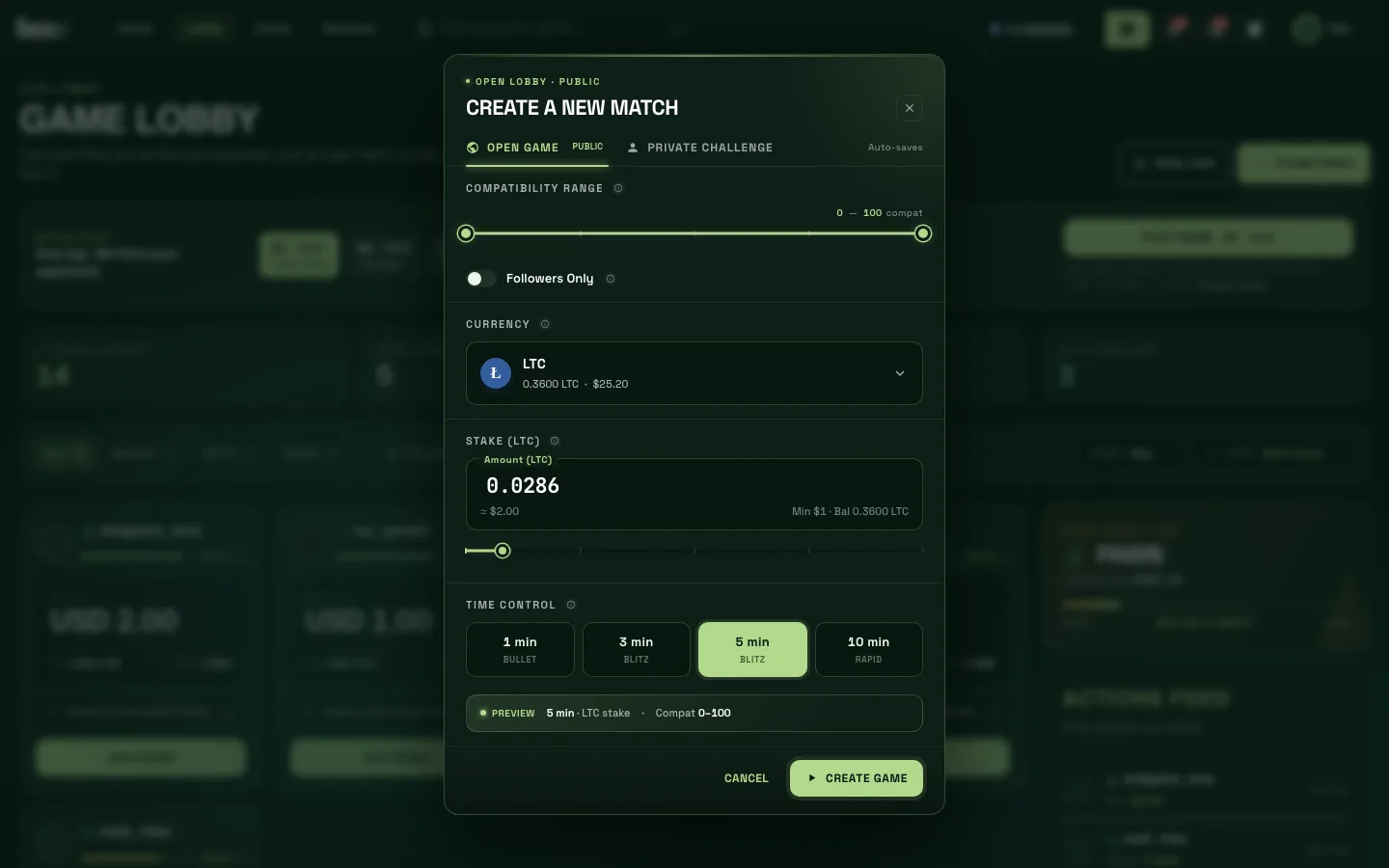
Open Game Options
- Compatibility Range (0–100): who can join, by how evenly matched they are with you. Narrow it for closer games, or leave it at 0–100 to let anyone in.
- Followers Only: only players who follow you can join.
- Currency: the coin you stake. The selector shows each balance and its USD value.
- Stake: type an amount or use the slider, which works as a percentage of your balance. The USD equivalent is shown underneath, along with the $1 minimum.
- Time Control: 1 min (Bullet), 3 min or 5 min (Blitz), 10 min (Rapid). There's no increment.
A Preview line sums up your choices. Press Create Game and your game appears in the lobby; your stake is held in escrow until someone joins or you cancel.
Challenging a Specific Player
On the Private Challenge tab, find your opponent with Challenge a Friend (search by username) or pick from Recent opponents, then set the currency, stake and clock and press Send Challenge.
You can also challenge someone from their profile card or from search results (Challenge).
The player you challenge sees a bar at the top of the screen saying "You've been challenged by…" with accept and decline buttons. If they decline, you're notified and your stake is released.
Rules
- One game at a time. You can't create a game while you're in one ("You are already in a game."), and you can have one pending private challenge at a time.
- Open games expire after 10 minutes if nobody joins, and your stake is released automatically.
- Minimum stake $1. Your maximum is the lower of your verification level's cap and, while your rating settles, the new-player stake cap described in Matchmaking & ratings.
- To cancel a game nobody has joined, use Cancel Game in the lobby header.
During some sessions open games may be paused and only private challenges allowed. The dialog then says "Open games are paused — challenge a player directly". Quick Play is usually the quickest way to get a game.